
Book a demo
Please provide your details and we will contact you.
Here we collect answers to frequently asked questions about Onify Citizen, from features of the portal to the way we work as a provider.
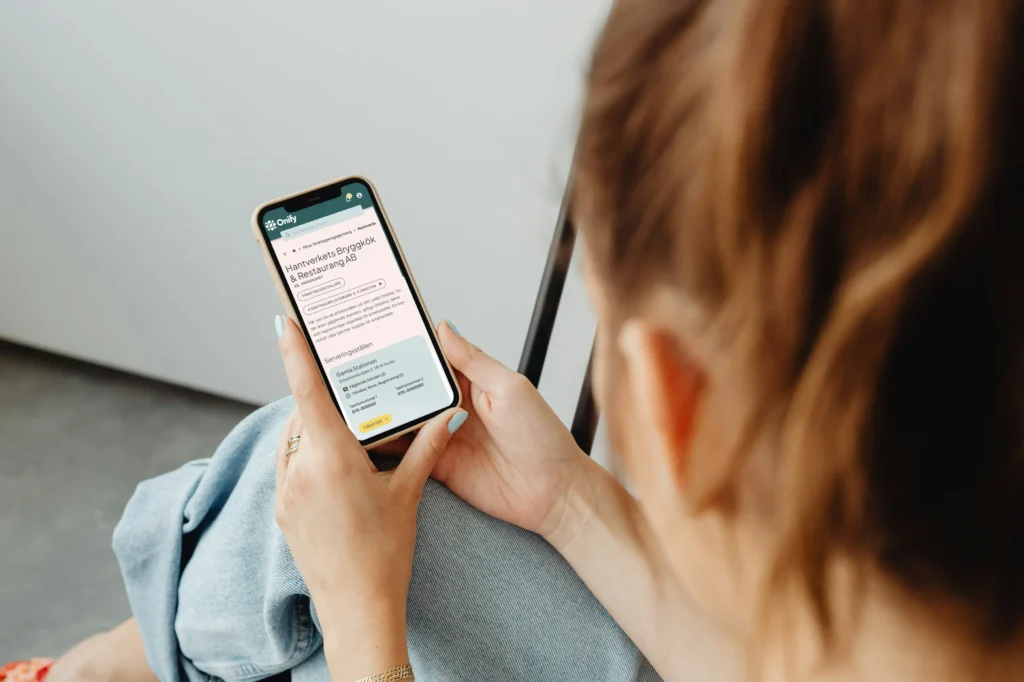
Onify's Citizen Portal is a logged-in area where citizens get a personalized overview of their cases, notifications and engagement with the municipality in one place. The portal is based on a flexible platform that integrates with the municipality's existing systems and strengthens the ecosystem you already have, instead of replacing it. The result is a clear, personalized digital entrance that simplifies everyday life for the citizen and at the same time frees up time and resources for the municipality.
Many municipalities currently offer a logged-in section where citizens can view certain information or manage their cases. Onify Citizen, however, acts as a neutral and flexible layer placed on top of the municipality's existing operational systems, allowing relevant information to be gathered and presented to the citizen.
This can involve data that was previously scattered across different systems but now becomes visible and usable in one context. Onify Citizen structures information around key objects that citizens are connected to, such as properties, businesses, cases, children, and associations.
Onify Citizen does not replace the municipality's existing systems; instead, it enhances them by creating a clear and cohesive digital experience. Citizens interact with the municipality as a unified entity, rather than through separate systems.
The External Web is open to everyone and is mainly used for broad information about the municipality, such as activities, contact routes, opening hours and news. Onify Citizen, on the other hand, is logged in, personalized and data-driven. It pulls information directly from the municipality's business systems, transforms it into clear objects such as properties, businesses or cases and presents it to the individual citizen. While the external website answers the question "what is the municipality about?" the portal answers "what applies to me?".
A unified citizen experience means that citizens interact with the municipality through a common digital entry point where information, cases, and services are presented in a unified manner.
In many municipalities, cases and information are currently scattered across multiple different systems. This makes it difficult for residents to get a complete picture of their interactions with the municipality. By consolidating information in a single platform, the municipality can provide residents with a clearer overview of their interactions, while also reducing the workload on contact centers and case workers.
This requires that information is accessible, can be structured and organized based on central concepts, and that it can then be presented in a logged-in area for the citizen, for example in Onify Citizen.
GSIM stands for Basic conditions for a unified citizen experience and is an initiative within Handslaget that aims to create better conditions for how municipalities can structure, make information accessible, and present it in a unified way for citizens and businesses.
An important part of this work involves using common concepts so that information from different operational systems can be linked together in a consistent manner.
GSIM, however, does not cover the actual digital entry point or the municipality's interface/My Pages where the information is presented. This is where Onify Citizen comes in. It's a logged-in area where citizens interact with the municipality, and where data is not just presented but also actively used. The portal is flexible and adapts to the municipality's visual identity and needs, enabling a data-driven approach to create better overview, dialogue, and service.
Yes. The portal already has integration with national services like Mina Ombud and is built for openness, which means it can be easily connected to new national components as they are established.
We follow national initiatives closely and in dialogue with our municipal customers.
A first version can often be ready within two to three months, provided that the technical requirements are in place. Onify has a proven model with clear steps, from installation and integration to testing, deployment, and hypercare.
Successful implementation requires collaboration. Common roles include project managers, system engineers, and subject matter experts. In the long term, it is beneficial to have system managers and administrators to maintain the portal. Onify supports you throughout the entire process, and our implementation plan provides more information on what is needed for successful implementation and ongoing management.
You will receive both technical and operational support. We provide solution proposals, configuration, best practices from other municipalities, structural guidance, and training. We are with you from the initial meeting through to operation, and then continue with ongoing support and maintenance.
Yes. Many municipalities choose to begin within a specific department or a limited area, such as a portal for businesses or property owners, and then expand step by step. Getting started doesn't require a large IT project, and the benefits become clear early on.
Onify's platform is designed to connect with both the municipality's operational systems and the government systems in use. Integrations can be done in various ways, depending on the specific system requirements. While modern REST APIs are commonly used, we can also integrate via SOAP, database connections, or file transfers when necessary.
All information is collected and indexed in the portal so that the citizen gets a uniform and unified picture, even if the data is basically in different systems. This can be done both through scheduled indexing for large amounts of data and real-time integration when updates need to be visible immediately.
The portal supports BankID, Freja eID, and Single Sign-On. All data remains with the municipality, and the solution complies with GDPR and current security requirements. Onify conducts regular security tests, including penetration tests, to ensure a secure and reliable solution.
The portal supports Swedish, English, and Finnish as standard. It is designed for full multilingual functionality in both its interface and content, and additional languages can be easily added.
The municipality always owns its data and manages its operations. Onify provides the platform and supports its development, but control and ownership remain with the municipality. No master data is stored within Onify.
No, it doesn't. Onify is an open platform. Changing your system will not affect your citizens' view. The portal is built to empower and connect what you have, not to lock you in.
Please provide your details and we will contact you.